For many businesses, data is everything. Client records, financial documents, emails, shared files, line-of-business applications, and internal processes all depend on having access to accurate information at the right time. The problem is that too many companies still treat backups like an afterthought—until something goes wrong.
That is a mistake.
A proper cloud backup strategy is no longer optional. It is one of the most important safeguards a business can put in place to protect itself from downtime, financial loss, and operational chaos. Whether the threat comes from a hurricane, flooding, theft, ransomware, or simple human error, cloud backups can be the difference between a temporary disruption and a full-blown disaster. (Florida Keys Weekly Newspapers)
Your Data Is More Fragile Than You Think
A lot of business owners assume their data is safe because it is stored on a server, a desktop, a NAS device, or even in a cloud app like Microsoft 365 or Google Workspace. But storing data and backing up data are not the same thing.
If your only copy of critical business information lives on-site, you are exposed. If an employee deletes the wrong folder, if a server fails, if a laptop gets stolen, or if ransomware encrypts your files, you could be left scrambling.
The hard truth is simple: if you do not have reliable backups, you do not really control your data.
Hurricanes and Severe Weather Can Shut Everything Down
Businesses in Florida do not need to be told storms are a real threat. Hurricanes can knock out power, damage buildings, destroy equipment, and leave offices inaccessible for days or weeks. Even businesses that avoid direct wind damage can still be hit with flooding, utility failures, and major disruption.
A local example makes the point better than any generic warning. Remember the fire on Flagler? On September 28, 2022, during Hurricane Ian, a fire at Flagler Center, 3201 Flagler Ave. in Key West tore through a mixed-use building while the area was dealing with storm conditions and flooding. The result was devastating: 14 residential units were destroyed above about 10 businesses, residents were displaced, and the loss was estimated at $12.8 million. (Florida Keys Weekly Newspapers)
That is exactly the point. Disasters do not always show up in a neat, predictable way. Sometimes it is not just wind. It is floodwater, electrical issues, fire, building damage, and complete loss all at once. If your servers, workstations, or backups are sitting in that building, you are in trouble.
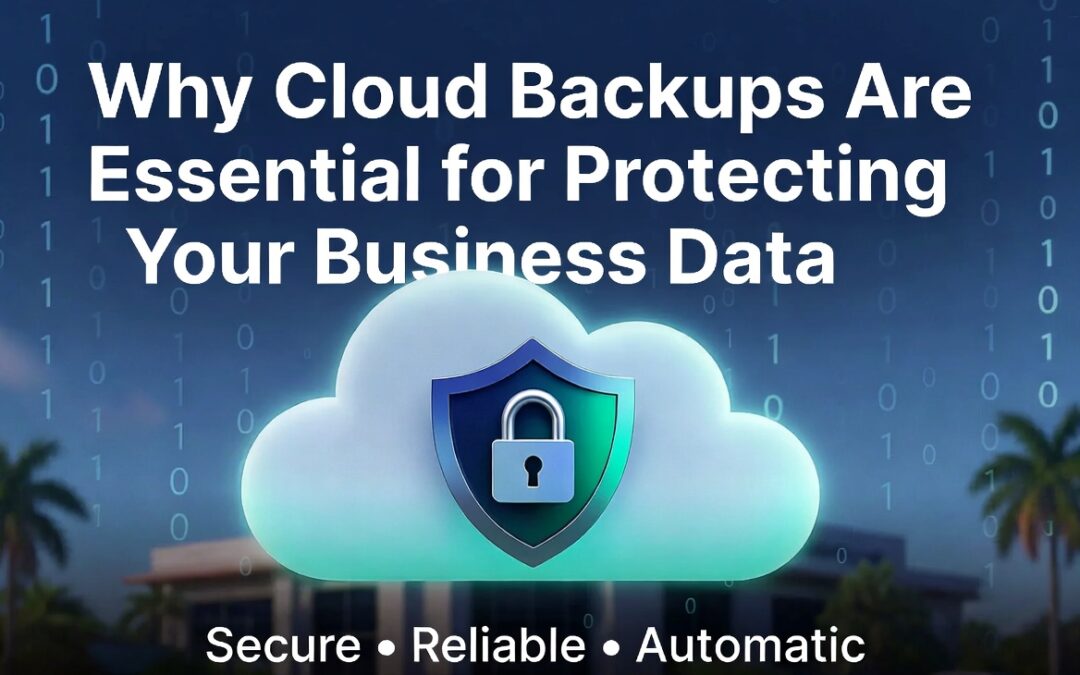
Cloud backups solve that problem by keeping protected copies of your data offsite. Even if your physical location is damaged or inaccessible, your business data can still be recovered.
Flooding Can Destroy Local Equipment Fast
Flooding is another major risk, especially in coastal and low-lying areas. It does not take a catastrophic storm surge to create serious problems. A roof leak, plumbing issue, rising water, or localized flooding event can wipe out servers, workstations, and networking equipment fast.
Water and electronics do not mix. Once hardware is damaged, recovery becomes expensive, uncertain, and slow.
That is why businesses should never rely solely on physical devices in the office for backup protection. External hard drives, local NAS devices, and onsite backup appliances can all play a role, but they should not be your only line of defense. If the office floods, local backups may go down with everything else.
Cloud backups add a layer of protection that stays intact even when the office does not.
Theft Is a Real Business Risk
Not every data loss event is dramatic. Sometimes it is as simple as stolen equipment.
Laptops get taken from vehicles. Offices get broken into. Servers, desktops, and external drives can all disappear. If that stolen device held important company data—or the only usable backup copy—you now have a serious business problem.
Cloud backups reduce that risk. Even if a device is stolen, your files and systems are still recoverable from a secure offsite platform. That means less panic, less downtime, and a much clearer path to getting operations back online.
Ransomware Can Bring a Company to a Standstill
Ransomware is one of the biggest threats businesses face today. It can encrypt files, lock users out of systems, and cripple day-to-day operations. In some cases, attackers also steal data and threaten to leak it if the ransom is not paid.
Without clean, reliable backups, many businesses feel trapped. Pay the ransom and hope for the best, or refuse and risk losing critical data.
Neither is a good position to be in.
A strong cloud backup solution gives your business leverage. Instead of being completely dependent on the attacker, you have a recovery path. You can restore clean versions of your files, systems, or servers and focus on getting back to business rather than negotiating with criminals.
That does not mean every ransomware recovery is easy. It is not. But businesses with tested cloud backups are in a far stronger position than businesses without them.
Downtime Costs More Than Most Businesses Realize
When systems go down, the damage is not limited to the cost of replacing hardware or restoring files. Downtime hits everything:
Even a short outage can create a mess. A longer outage can cost far more than the backup solution that could have prevented it.
Cloud backups help reduce downtime by giving your business a faster, more organized way to recover after an incident. Instead of starting from scratch, you are restoring from a protected copy.
Cloud Backups Support Business Continuity
The real value of cloud backups is not just file protection. It is business continuity.
A good backup strategy helps ensure your business can keep operating or recover quickly after a disruption. That means protecting not just documents, but also servers, shared folders, application data, Microsoft 365 data, and other critical systems.
For many businesses, the goal is not merely to have a backup. The goal is to have a backup that can actually be restored when needed, within a timeframe that makes sense for the business.
That is a huge difference.
Not All Backup Solutions Are Equal
Some businesses assume they are covered because someone set up a backup years ago. That is dangerous thinking.
A real backup strategy should answer questions like:
-
What data is being backed up?
-
How often is it being backed up?
-
Where is it being stored?
-
How long is it retained?
-
Is it protected from ransomware?
-
Has it been tested?
-
How fast can it be restored?
If those answers are vague, your backup plan probably has holes in it.
What a Strong Cloud Backup Strategy Should Include
A solid cloud backup solution should be built around reliability, security, and recoverability. That usually means:
-
Automatic backups on a regular schedule
-
Offsite cloud storage
-
Protection for servers, workstations, and cloud platforms
-
Version history for restoring older copies
-
Backup monitoring and alerts
-
Routine testing of restores
-
Clear recovery procedures during an outage or disaster
Backups should not be something you hope is working. They should be something you know is working.
Waiting Until After a Disaster Is Too Late
Nobody plans for a hurricane to hit at the wrong angle. Nobody expects a flood, a break-in, or a ransomware attack to happen on a convenient day. That is exactly why backup planning matters.
The businesses that recover the fastest are usually the ones that prepared before the problem showed up.
Cloud backups are not flashy. They are not exciting. But when something goes wrong, they become one of the most valuable investments a business can make.
Final Thoughts
If your business depends on data—and it does—then protecting that data needs to be a priority. Hurricanes, flooding, theft, and ransomware are not abstract risks. They are real threats that can disrupt or cripple a business that is not prepared.
The Flagler fire in Key West is a reminder that a single event can wipe out both living spaces and commercial operations at once. When buildings are damaged, businesses do not just lose square footage. They risk losing systems, records, and the information they rely on every day. (Florida Keys Weekly Newspapers)
Cloud backups give businesses a safer, smarter way to protect critical information and recover from the unexpected. They help reduce downtime, limit losses, and keep operations moving when things go sideways.
If your current backup setup is unclear, outdated, or untested, now is the time to fix it. Because once the damage is done, it is too late to wish you had a better backup plan.